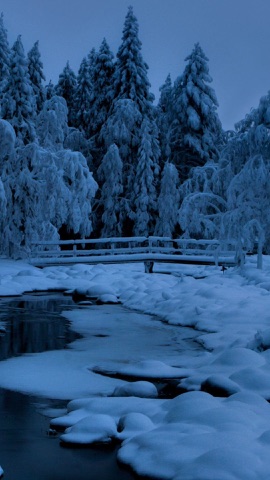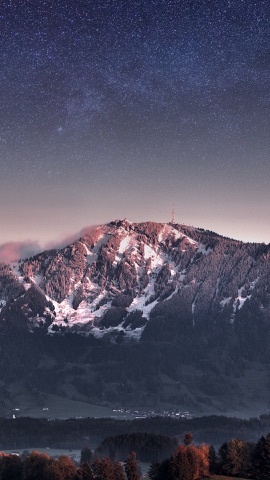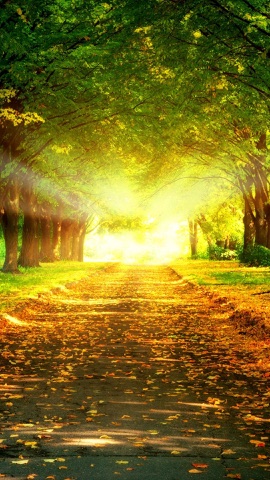
← iPhone Wallpapers
iPhone 15 WALLPAPERS
iPhone 15 wallpaper size: 1179×2556 px — what fits and what gets cropped
The iPhone 15 has a 1179×2556-pixel screen (6.1", about 461 ppi) with an aspect ratio of roughly 9:19.5. That is taller than a standard 9:16 wallpaper, so when a 9:16 image fills the screen you lose 97px on each side (18% of the width). This page works out how each of our three wallpaper sizes is displayed on this phone, and lists wallpapers chosen by measurement so the lock-screen clock and home-screen icon labels stay readable.
155 wallpapers
How our wallpapers crop on this device
| Screen | Wallpaper size | Cropped |
|---|---|---|
| iPhone 15 (1179×2556) | 1080×1920 | 97px on each side (18% of the width) |
| 1440×2560 | 130px on each side (18% of the width) | |
| 1242×2688 | No crop |
Open any wallpaper and use "See it on your device" to preview the exact crop for that image.
Which wallpaper size to download
To match the iPhone 15's 2556px height, a 1080×1920 wallpaper is scaled 1.33×, a 1440×2560 one 1.00× and a 1242×2688 one 0.95×. About 1.33× of enlargement is barely noticeable at normal viewing distance on a 461 ppi screen. Only prefer 1440×2560 for photos with a lot of fine detail. The 18% side crop of a 9:16 wallpaper happens regardless of resolution; a 1242×2688 wallpaper is close to the screen's shape, so it loses no crop. Every wallpaper page shows the actual size of that image in its specs.
Models with the same screen
The iPhone 16 and iPhone 15 Pro share the same 1179×2556 screen as the iPhone 15, so wallpapers are scaled and cropped identically. A wallpaper chosen for one of them works unchanged on the others.
On the lock screen and home screen
On an iPhone lock screen the clock sits in white digits across a band roughly 10–28% down from the top. We measured the brightness of that band on every wallpaper in the library: those under 80 on a 0–255 scale go into "Wallpapers where the lock-screen clock stays readable", and those dark in the bottom quarter into "Wallpapers where home-screen icon labels stand out". The list below favors them. To set one, go to Settings → Wallpaper → Add New Wallpaper and pick the saved photo. You can use different wallpapers for the lock screen and the home screen.
Compared with other models
| Model | Display | Resolution (px) | ppi | 9:16 crop |
|---|---|---|---|---|
| iPhone 18 Pro Max | 6.9" | 1320×2868 | 458 | 18% |
| iPhone 18 Pro | 6.3" | 1206×2622 | 458 | 18% |
| iPhone 17 Pro Max | 6.9" | 1320×2868 | 458 | 18% |
| iPhone 17 Pro | 6.3" | 1206×2622 | 458 | 18% |
| iPhone 17 | 6.3" | 1206×2622 | 458 | 18% |
| iPhone Air | 6.5" | 1260×2736 | 463 | 18% |
| iPhone 16 Pro Max | 6.9" | 1320×2868 | 458 | 18% |
| iPhone 16 Pro | 6.3" | 1206×2622 | 458 | 18% |
| iPhone 16 Plus | 6.7" | 1290×2796 | 460 | 18% |
| iPhone 16 | 6.1" | 1179×2556 | 461 | 18% |
| iPhone 15 Pro Max | 6.7" | 1290×2796 | 460 | 18% |
| iPhone 15 Pro | 6.1" | 1179×2556 | 461 | 18% |
| iPhone 15 Plus | 6.7" | 1290×2796 | 460 | 18% |
| iPhone 15 | 6.1" | 1179×2556 | 461 | 18% |
| iPhone 17e | 6.1" | 1170×2532 | 457 | 18% |
| iPhone 16e | 6.1" | 1170×2532 | 457 | 18% |
Frequently asked questions
What wallpaper size (resolution) does the iPhone 15 use?
1179×2556 pixels in portrait (6.1", about 461 ppi). An image at this resolution or larger will not look blurry.
Is a 1080×1920 wallpaper enough for the iPhone 15?
It is scaled 1.33× to match the height. About 1.33× of enlargement is barely noticeable at normal viewing distance on a 461 ppi screen. Only prefer 1440×2560 for photos with a lot of fine detail.
How much of a 9:16 wallpaper gets cropped on the iPhone 15?
The screen is about 9:19.5, taller than 9:16, so a 9:16 wallpaper is scaled up and loses 97px on each side (18% of the width). Pick "iPhone 15" in the device selector on any wallpaper page to see the exact crop for that image.
Which models have the same screen size as the iPhone 15?
The iPhone 16 and iPhone 15 Pro have the same 1179×2556 screen, so wallpapers look identical.
Wallpapers that fit this device (selected by measurement)